TrayTales
Log the time your trays are out, change trays without wrecking your schedule, and keep check-ins, appointments and notes in one calm timeline — all on your phone.
Everything the habit needs.
Built from the day-to-day of aligner and retainer wear: the timer you forget to start, the tray change that lands three days early, the photo you want next to last month's.
Timeline, day by day
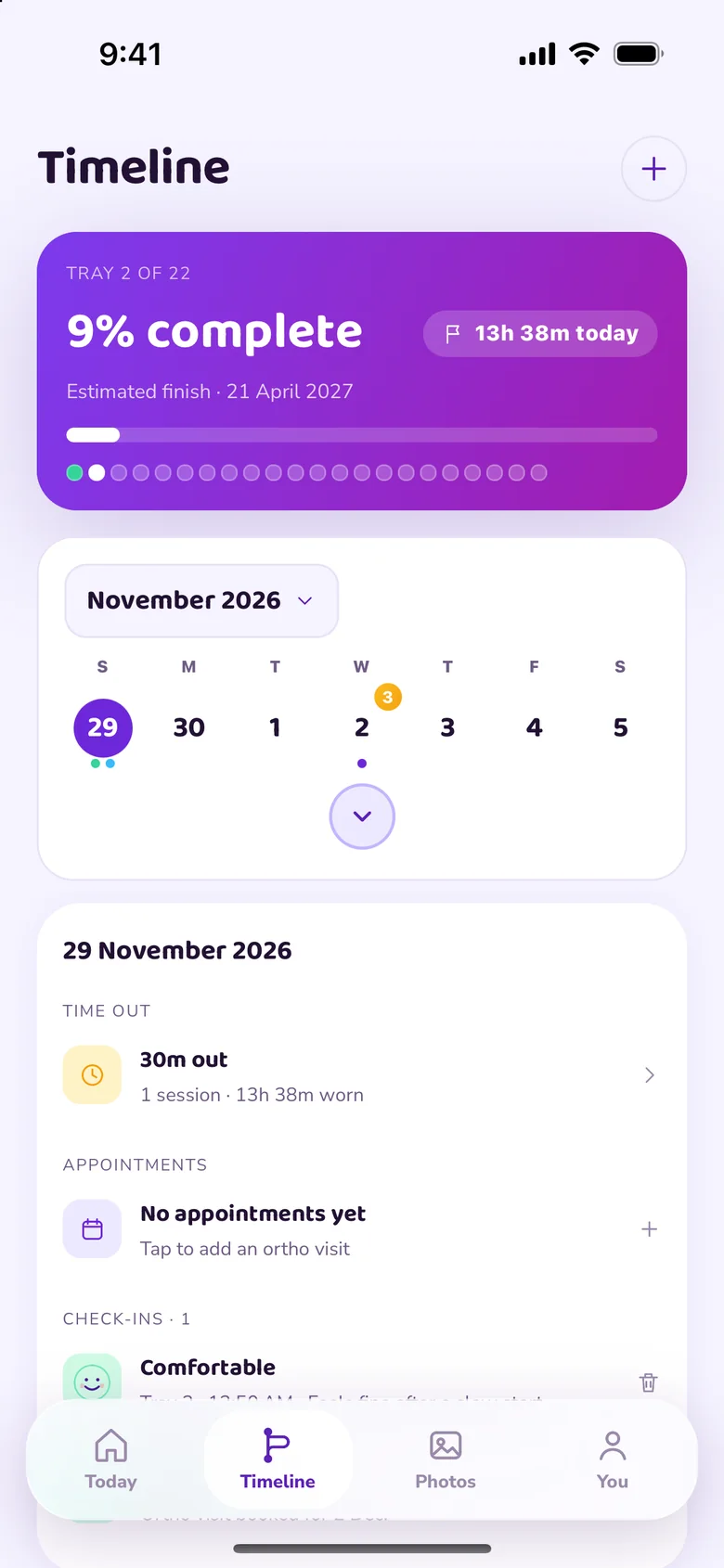
A calendar row marked with tray changes, appointments, notes, check-ins and milestones. Tap a day to see exactly what happened, and add to any day up to today.
Wear time that adds up
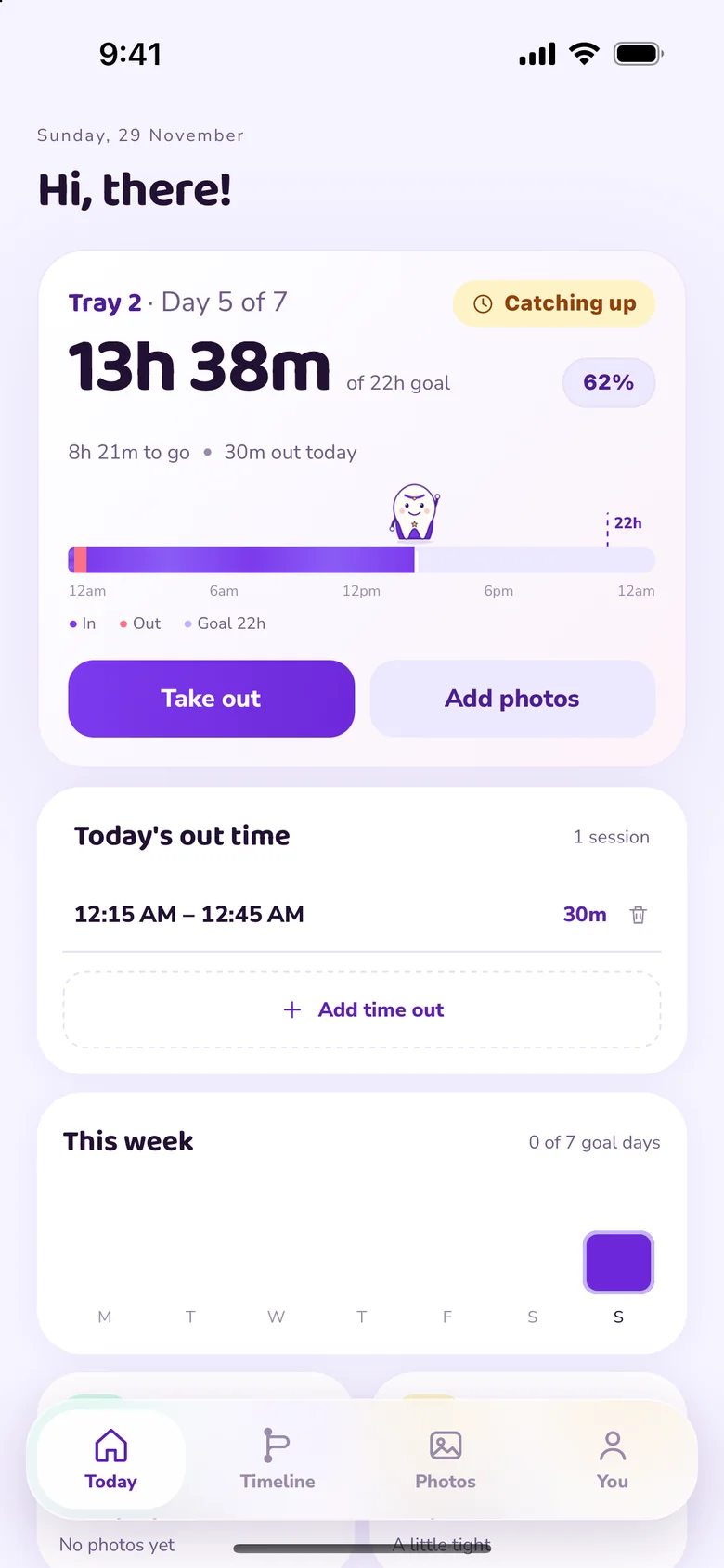
Tap “Take out” and “Put back in”. Every session is kept with its duration, so the day's total, the time out and the goal are worked out for you.
Tray changes that fix the plan
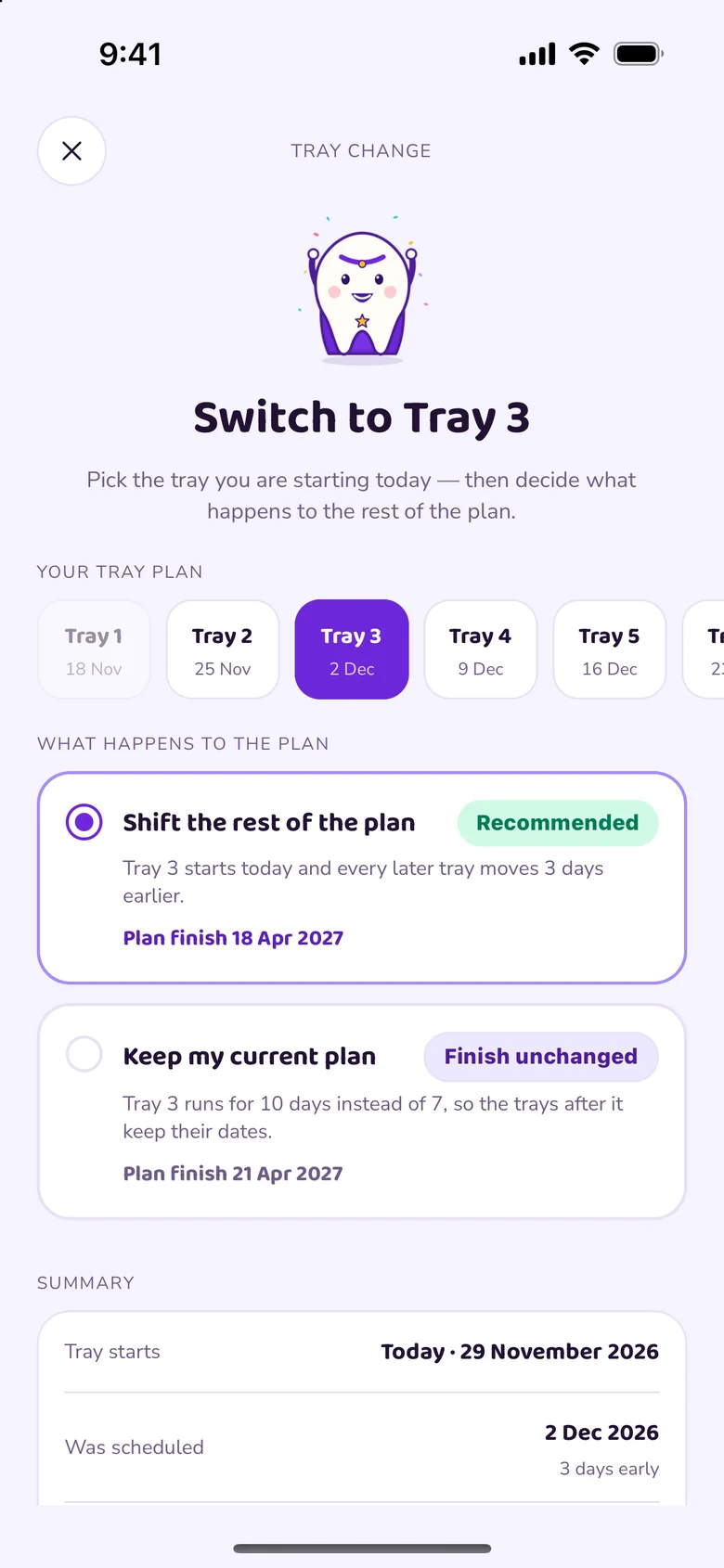
Changed early or late? Shift the rest of the plan, or keep your finish date and wear the new tray longer. The remaining trays move with it.
Check-ins with a face
Four comfort levels and an optional note, kept as history — so a snug tray on day one is easy to compare with a comfortable one on day five.
Reminders that fit the day
Morning check-in, a nudge when your trays have been out too long, tray-change day and bedtime. Appointment reminders from 5 minutes to a day ahead.
Progress photos
Guided sets — front, left, right and dental views — so each photo lines up with the last, then compare two dates side by side. Photos stay on your phone.
App lock
Face ID, Touch ID or your passcode. TrayTales locks the moment you leave it, so your plan never shows up in the app switcher.
Private by default
No account, no ads, no analytics SDKs. Your plan, photos and notes live on your device, and “Delete everything” really deletes them.
A look inside.
Real screens from the app as it stands today, on iPhone. It runs on Android too, and follows your light or dark appearance.
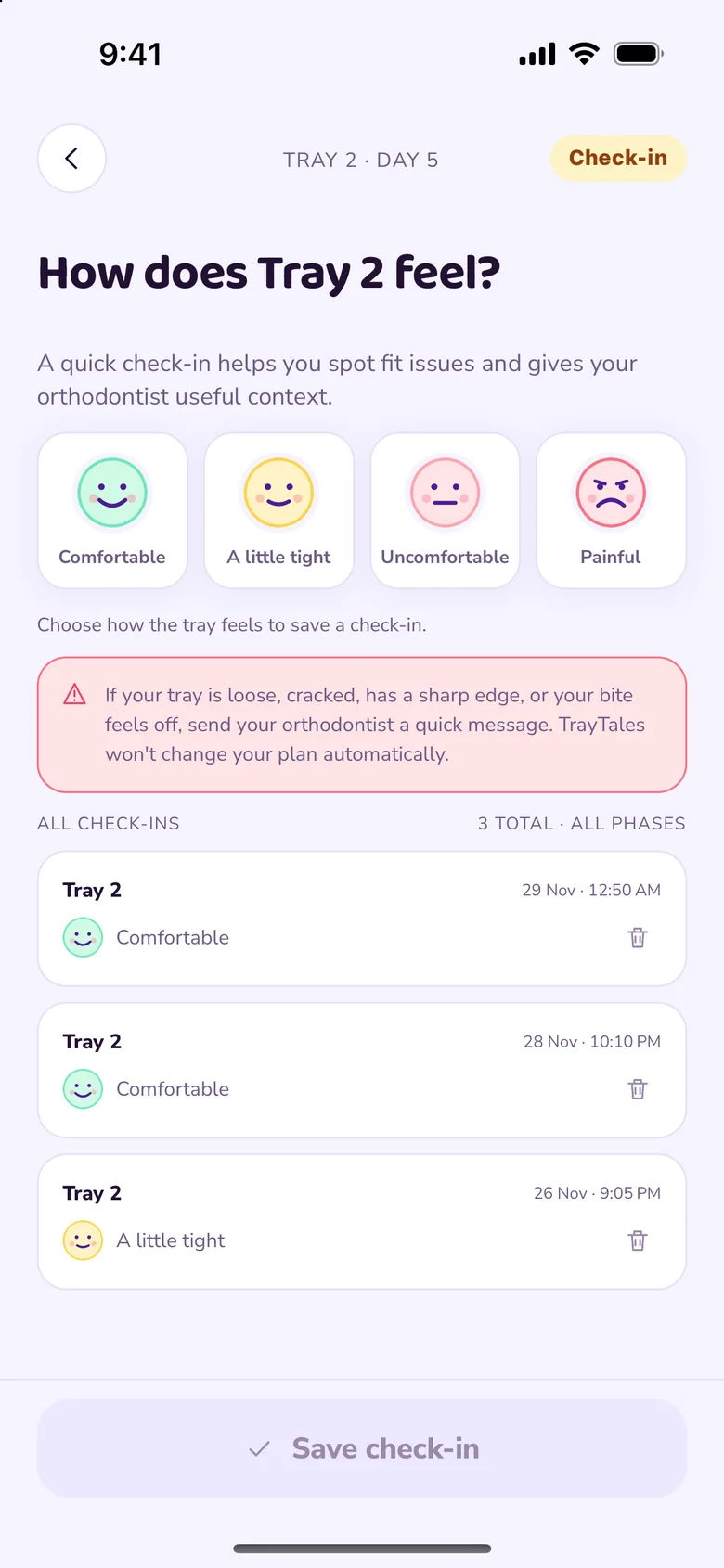
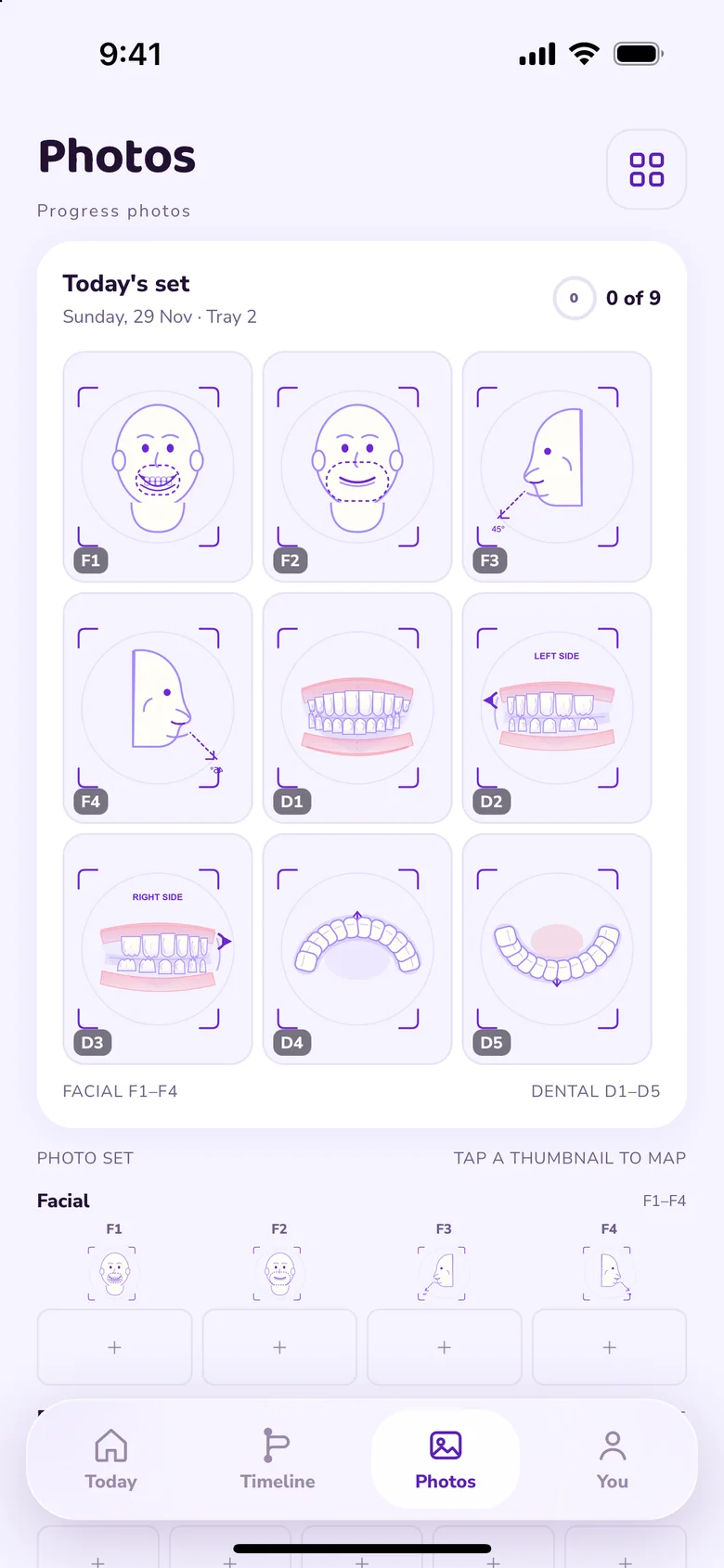
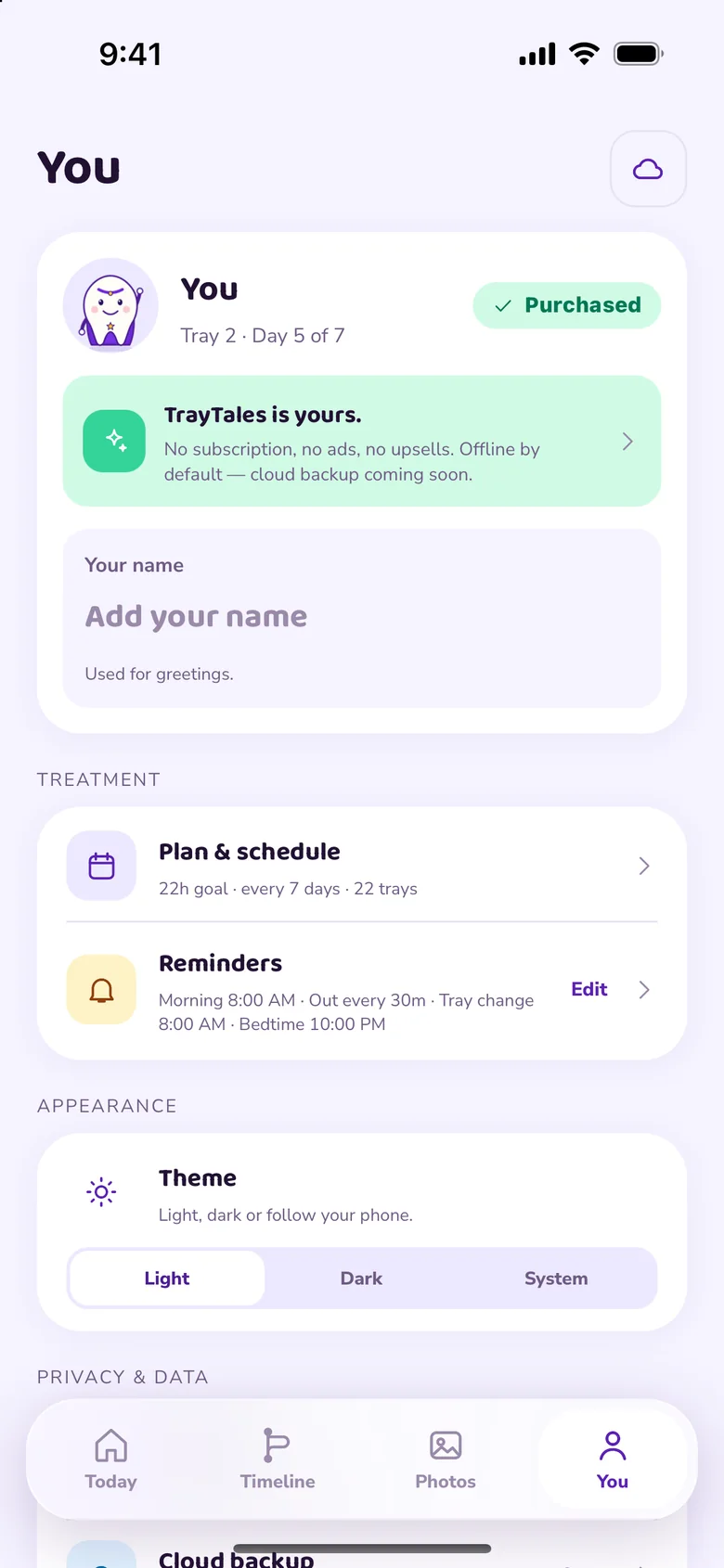

A calmer way to keep the habit.
Aligners are a two-year habit measured in hours. Most trackers answer that with a countdown timer and a guilt trip; TrayTales answers it with a day you can actually read — what happened, how long your trays were in, and what is coming next.
Tilly, the small mascot who runs the place, is on your side: nudges at the right times, one Day Trail a day, and a photo story worth keeping.
We are building it carefully and testing it now. The early list at the top of this page is the place to be — one note when a build is ready for you.
Your treatment stays yours.
- No account, no sign-in, no ads and no analytics SDKs.
- Your plan, wear history, check-ins, appointments, notes and photos live on your phone.
- Reminders are scheduled locally; nothing is uploaded to schedule them.
- Optional encrypted cloud backup is not available yet — and will be opt-in when it is.

Questions, answered.
The same answers that live inside the app under You → Help & FAQ.
How do I log the time I take my trays out?
On the Today screen tap “Take out” when they come out and “Put back in” when they go back in. TrayTales keeps the timer running and adds the time to your daily total. Forgot to log it? Tap the progress area on Timeline to fix a session, or use “Add time out” to enter one by hand.
How is my daily goal calculated?
Only the time your trays are actually in your mouth counts towards the goal your orthodontist set (usually 20–22 hours). Time out reduces it, so the ring fills as you get closer to the goal.
How do I change trays early or late?
Tap “Change tray” on Today when you switch. TrayTales asks for the date you changed and moves the remaining schedule with it — or keeps your finish date and runs the new tray longer. You can also set the current tray in You → Plan & schedule.
Where is my data stored?
Everything lives on your phone — there is no account and nothing is uploaded. Optional encrypted cloud backup is coming; your photo library is never written to without asking.
Want to try it first?
Beta builds for iOS and Android are starting soon. Leave your email and you'll get one note the moment a build is ready to install — no newsletter, no ads, unsubscribe any time.
Prefer email? Write to hello@dimritiumlabs.com. We store just your address and the date you signed up — see the privacy policy.